
CrownGold App: How the Mobile Casino Works in Australia
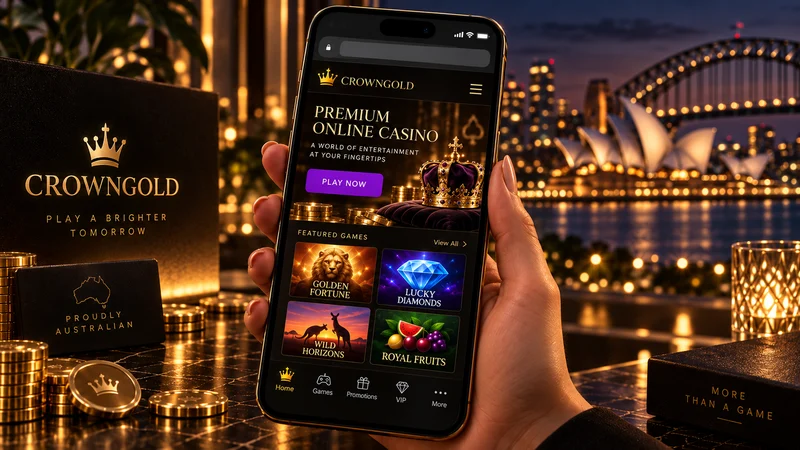
There is no CrownGold app in the App Store or on Google Play, and the operator does not hand out an APK either. The casino runs as a mobile site: open it in Safari or Chrome, log in, and the pokies lobby, the live tables and the cashier all load in the same browser tab. A home-screen shortcut gives you a tap-to-open icon, which is as close to a CrownGold app as Australian players get, with nothing to install and no updates to chase.
Same account on mobile, same offer: code CG4 — 150% up to A$4,000 + 150 free spins
Min deposit A$30 · wagering 40x · max bet A$0.10 while wagering · valid 14 days · max win from free-spin funds A$200. Those were the terms when we checked; the cashier shows the live version, so read it before depositing.
Why there is no CrownGold app in the stores
CrownGold was built as a single responsive site instead of a site plus two native builds. The lobby filters, the provider list, the bonus page, the cashier, the live video: all of it comes from the same pages that load on a laptop, resized for a phone. Search either store for a CrownGold casino app and nothing from the operator comes back, which is also why our mobile pokies at CrownGold notes deal with browser behaviour instead of install steps.
That technical detail has a practical edge. Since no official app exists, any download page offering a “crowngold apk”, a mod version or an installer with a gold crown icon has nothing to do with the operator. Files like those are the usual bait around casino brand names: fake login screens built to harvest a password, or installers carrying extras you did not ask for. The operator’s own domain is crowngold.com, and the CrownGold mobile app download most people are hunting for does not exist as a file.
In practice, then, the CrownGold mobile app Australian players search for is the mobile site. What the casino offers behind the icon is set out on the CrownGold Australia overview page. From here on, this page deals with getting that icon onto your phone and what the browser handles once it is there.
The “Crown Gold” app you can find in the stores is a gold price tracker
Most of the confusion starts here. The stores do carry a real app called Crown Gold, published by a developer called Aurify, and it tracks gold prices. There are no pokies in it and no cashier; it is a commodities tool that happens to share a name. Install it expecting the casino and you get bullion charts.
Two other name clashes send Australian players somewhere else entirely. Crown Resorts and Crown Melbourne belong to the land-based operator and have nothing to do with the subject of this site. Golden Crown Casino is a separate online brand with a similar-sounding name. The casino this guide covers is CrownGold, operated by Aveazure SRL under Kahnawake licence No. 940.
Adding CrownGold to your home screen
A home-screen shortcut stands in for the install: an icon next to your other apps and no address to retype. Log in before you save it. Most phones keep you signed in between visits, so the icon then drops you into the lobby instead of onto a login form.
iPhone and iPad (Safari)
- Open the CrownGold site in Safari. On iOS the shortcut does not work from inside Chrome or any other browser.
- Tap the Share button, the square with the arrow pointing up, at the bottom of the screen in portrait mode.
- Scroll the share sheet down to Add to Home Screen.
- Rename the shortcut if you want something shorter, then tap Add.
Android (Chrome)
- Open the site in Chrome.
- Tap the three-dot menu at the top right.
- Choose Add to Home screen, confirm the name, and tap Add.
- Chrome may then ask whether the icon goes straight onto your home screen or into the app drawer; either works.
What you end up with is a bookmark wearing an icon. Nothing lands in your storage and no update prompt appears. Clear your browser data and the next tap simply asks you to log in again.
What works in the mobile browser
Nearly everything works, with the usual small-screen compromises. The catalogue is the one a desktop player sees, the official banner figure being 7,000+ games from roughly 70 studios, and the lobby keeps its sections: Pokies, Live Casino, Instant, Jackpots, Table, Bonus Buy, Collections and Tournaments. Density is what changes. Provider filters sit behind a menu instead of a sidebar, and tiles come three or four to a row instead of eight.
| Section | Works in the mobile browser | What to expect on a phone |
|---|---|---|
| Pokies lobby | Yes | Same catalogue and sections; filters and search move behind a menu button |
| Live casino | Yes | 1,000+ live games including Crazy Time and Lightning Roulette; video stream in portrait or landscape |
| Cashier | Yes | Deposits and withdrawal requests from the same cashier; card, e-wallet, voucher and crypto options as listed |
| Bonuses and codes | Yes | CG4 and the weekly reload codes are entered in the cashier, exactly as on desktop |
| Support chat | Yes | CrownGold lists 24/7 live chat and email support; the chat widget opens over the page on mobile |
| Verification (KYC) | Yes | Documents are requested through support, so a phone camera is usually the quickest way to supply them |
| Account limits | Partly | Deposit, loss, wager and session limits are set through support rather than a self-service toggle |
Check two things on a phone before you settle in. The cashier comes first: the site’s internal operating currency is Euro, so an AUD balance carries a small conversion difference, and PayID is absent from the CrownGold cashier, as are Osko, POLi and BPAY. Our page on mobile deposits and cashouts lists what the cashier does take, along with the A$7,500 daily, A$15,000 weekly and A$45,000 monthly withdrawal ceilings.
Live video is the second. The live dealer games on mobile are the heaviest thing the site loads, and a weak connection shows up there first. Evolution and Pragmatic Play Live tables carry most of that section, and both behave better in landscape, where the betting grid gets real room instead of sitting squeezed under the stream.
Signing in and registering on a phone
Registration asks for date of birth, first and last name, address, email, username and password, and a phone number. On a phone that is a couple of minutes of typing. The number matters more than it looks: the casino may ring the registered line as part of its checks, and if it cannot reach you within two weeks of a withdrawal request the account can be blocked, so put in a line you still answer. The full field-by-field walkthrough sits on our page about signing up from a phone.
Codes are entered in the cashier at the deposit step, and that is the point where mobile players slip most often. Tap through too quickly and the deposit lands as plain cash with no CG4 attached. Crypto deposits, Skrill and Neteller deposits do not qualify for the welcome offer at all, so if one of those is your phone’s default payment method, change it before you confirm.
Returning players run into a shorter list: a saved password that stopped matching after a reset, a session that expired mid-game, a browser blocking cookies and quietly dropping the login. Fixes for each sit on the CrownGold login on mobile page, which also describes what an account lock from cooling-off or self-exclusion looks like from the outside.
Set a deposit limit early, while the account still has no history to it. Lowering a limit takes effect immediately, while raising or removing one waits 24 hours. That delay works in your favour during a session that has stopped going well.
Data, battery and connection tips
Pokies are light traffic: a few images, a sound file, then the spins themselves. Live tables are video, and video is what shows up on a mobile plan at the end of the month. Keep live play on Wi-Fi and leave mobile data for the lobby, the cashier and short pokie sessions. Battery behaves the same way, since a live stream at full brightness drains a phone much faster than reels do, so plan a charger into any long session at the tables.
Stuttering video is usually the connection rather than the handset. Look for a stream quality setting in the table’s own controls and step it down; a lower-resolution feed that holds steady beats a sharp one that freezes on every result. If the connection drops mid-round, the game provider’s rules decide the outcome, and the table’s rules panel explains how that particular game handles a disconnect. It is a short read and better done in advance.
Screenshot cashier confirmations, deposits and withdrawals alike. If a payout stalls, a screenshot is the quickest thing to paste into a chat window. Photograph your ID documents early as well: the operator can ask for ID, proof of the payment method used and a utility bill, with video verification as the fallback, and KYC left unfinished for 40 days can cost you winnings outright.
There is one trap specific to phones, and that is the A$0.10 max bet cap that applies while you are wagering a bonus. Stake buttons are small, and a mis-tap above the cap can breach the terms of the bonus you are trying to clear. Set the stake, confirm what the screen shows, then stay off the quick-bet buttons.
18+. CrownGold offers deposit, loss, wager and session limits, cooling-off periods and self-exclusion from six months to permanent, plus comprehensive self-exclusion through the Kahnawake Gaming Commission. If gambling is causing harm, Gambling Help Online is free and available 24/7 on 1800 858 858 (gamblinghelponline.org.au), and Lifeline is on 13 11 14 (lifeline.org.au).
CrownGold mobile app FAQ
Is there a CrownGold app for Android?
No. The operator publishes no Android build and distributes no APK. Any site advertising a CrownGold APK is not the operator, and installing a file like that risks handing your login to whoever built it. The browser plus a home-screen shortcut is the route that works.
Is there a CrownGold app for iPhone?
No again. The Crown Gold app you will find in the App Store is Aurify’s gold price tracker and has nothing to do with the casino. On iOS you use Safari and Add to Home Screen.
Does the home-screen shortcut take up storage like an app?
No. A shortcut is a bookmark with an icon, so nothing is downloaded and nothing updates. Delete the icon and you lose the shortcut only; your account, balance and bonus progress sit on the operator’s side.
Can I claim the CG4 bonus and play its free spins on mobile?
Yes. Same account, same cashier: CG4 (150% up to A$4,000 plus 150 free spins, A$30 minimum deposit, 40x wagering) is entered on a phone exactly as it is on a desktop. Crypto, Skrill and Neteller deposits stay excluded from the offer whatever device you use.
Can I request a withdrawal from my phone?
Yes, from the same cashier, within the standard AUD ceilings of A$7,500 a day, A$15,000 a week and A$45,000 a month. The first payout waits on verification, and it is worth allowing more than the operator’s advertised cashout time — some players have reported waits measured in days rather than minutes.